आज के digital दौर में हर किसी के पास 10-20+ online accounts हैं — Gmail, Facebook, Instagram, WhatsApp, Bank accounts, UPI apps… और hackers इन सबको target कर रहे हैं! 2026 में India में cyber crime cases में 300% की बढ़ोतरी हुई है… और सबसे ज्यादा cases account hacking के हैं।
अगर आप सही सावधानियाँ रखें तो 99% hacking attempts से बच सकते हैं! आज हम आपको 15 ज़रूरी security tips बताएंगे जिनसे आपके सभी online accounts सुरक्षित रहेंगे।

1. Strong Password बनाएं — सबसे ज़रूरी Step
ज्यादातर accounts इसलिए hack होते हैं क्योंकि लोग बहुत weak passwords use करते हैं! “123456”, “password”, अपना नाम, birthday — ये सब passwords hackers seconds में crack कर लेते हैं।
Strong Password के Rules:
Minimum 12 characters लंबा हो। Capital letters (A-Z), small letters (a-z), numbers (0-9), और special characters (!@#$%^&*) सब mix हों। हर account के लिए अलग password use करें। कभी भी personal information (name, birthday, phone number) password में न रखें।
Example: Weak password: rahul123 → Strong password: R@hu!_S3cur3#2026
Password कैसे याद रखें: एक sentence बनाएं और उसके first letters use करें। जैसे: “Meri Beti Ka Birthday 15 March Ko Hai!” → MBkB15MkH!
2. Two-Factor Authentication (2FA) Enable करें
2FA सबसे powerful security feature है! इसमें login करते time password के अलावा एक और verification step होता है — जैसे OTP, authenticator app code, या fingerprint।
2FA कैसे काम करता है: Password enter करें → Phone पर OTP आएगा या Authenticator app में code दिखेगा → वो code enter करें → तभी login होगा। अगर hacker को आपका password पता भी चल जाए… बिना 2FA code के login नहीं कर पाएगा!
2FA Enable करें इन accounts पर:
| Account | 2FA कहाँ Enable करें | Best Method |
|---|---|---|
| Google/Gmail | myaccount.google.com → Security → 2-Step Verification | Google Authenticator App |
| Settings → Security → Two-Factor Authentication | Authenticator App | |
| Settings → Security → Two-Factor Authentication | Authenticator App | |
| Settings → Account → Two-Step Verification | 6-digit PIN | |
| Twitter/X | Settings → Security → Two-Factor Authentication | Authenticator App |
| Amazon | Account → Login & Security → 2-Step Verification | SMS + Authenticator |
| Banking Apps | App Settings → Security | Biometric + OTP |
Best Authenticator Apps: Google Authenticator (simple), Microsoft Authenticator (backup feature), Authy (multi-device sync)।
3. Phishing Emails और Messages से बचें
Phishing सबसे common hacking method है! Hacker fake emails या messages भेजते हैं जो बिल्कुल real company जैसे दिखते हैं — “Your account will be blocked”, “Verify your bank account”, “You won a lottery”… और जैसे ही आप link पर click करके details enter करते हैं — account hack!
Phishing कैसे पहचानें:
Sender email address carefully check करें — “support@gooogle.com” (3 ‘o’) fake है! Urgent language — “Account 24 hours में block हो जाएगा” — mostly fake। किसी भी email/SMS में आए link पर directly click न करें। Bank, Google, Facebook कभी email/SMS से password नहीं माँगते। Grammar और spelling mistakes देखें — official emails में ऐसा नहीं होता।
4. Password Manager Use करें
हर account के लिए अलग strong password याद रखना impossible है! इसलिए Password Manager use करें — ये एक secure digital vault है जो सारे passwords safely store करता है। आपको सिर्फ एक Master Password याद रखना है!
Best Password Managers 2026:
| App | Free Plan | Premium Price | Best Feature |
|---|---|---|---|
| Bitwarden | Unlimited passwords | $10/year | Open-source, most trusted |
| Google Password Manager | Free (Chrome built-in) | Free | Auto-fill, sync across devices |
| 1Password | 14-day trial | $36/year | Family sharing, Watchtower |
| LastPass | 1 device type | $36/year | Easy to use |
| Proton Pass | Unlimited | $24/year | Privacy-focused, email aliases |
5. Public Wi-Fi पर सावधान रहें
Railway station, airport, cafe, mall — यहाँ की free Wi-Fi बहुत dangerous हो सकती है! Hackers same Wi-Fi network पर “Man-in-the-Middle” attack करके आपके passwords, messages, और banking details चुरा सकते हैं।
Public Wi-Fi Safety Tips:
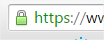
Public Wi-Fi पर कभी banking apps या UPI use न करें। VPN (Virtual Private Network) use करें — ये आपका data encrypt करता है। HTTPS websites ही visit करें (URL में lock icon check करें)। Public Wi-Fi पर login credentials enter करने से बचें। Auto-connect WiFi feature OFF रखें।
6. Apps और Software Updated रखें
पुराने software में security vulnerabilities (कमजोरियां) होती हैं जिनका hackers फायदा उठाते हैं! हर update में security patches होते हैं जो इन vulnerabilities को fix करते हैं।
क्या-क्या update रखें: Phone का OS (Android/iOS), सभी apps (especially banking और social media), Browser (Chrome, Firefox), Computer का OS (Windows/Mac)।
Auto-update ON करें: Phone Settings → System → System Update → Auto-update ON। Play Store → Settings → Auto-update apps → Over Wi-Fi only।
7. Suspicious Links पर Click न करें
WhatsApp, SMS, email — हर जगह suspicious links आते रहते हैं! “Free iPhone जीतें”, “KYC update करें”, “₹5000 cashback” — ये सब scam links हैं!
Safe Browsing Rules:
Unknown sender से आए किसी भी link पर click न करें। Short URLs (bit.ly, tinyurl) से सावधान रहें — ये malicious site पर redirect कर सकते हैं। किसी भी website पर login करने से पहले URL check करें — “facebook.com” vs “faceb00k.com”। Chrome browser की Safe Browsing feature ON रखें।
8. Recovery Options Updated रखें
अगर account hack हो भी जाए तो recovery options से account वापस मिल सकता है! लेकिन बहुत से लोग recovery email और phone number update नहीं करते।
अभी Check करें: Google: myaccount.google.com → Security → Recovery phone/email update करें। Facebook: Settings → Security → Choose 3-5 friends for account recovery। All accounts: Backup codes generate करके safe place पर लिख कर रखें।
9. Social Media पर Personal Information कम Share करें
Hackers social media से आपकी personal information collect करते हैं — birthday, pet’s name, school name, mother’s maiden name… ये सब common security questions के answers हैं!
Privacy Settings Check करें: Facebook: Settings → Privacy → “Who can see your posts” → Friends Only। Instagram: Settings → Privacy → Private Account ON करें। LinkedIn: Settings → Visibility → Limit profile visibility। Birthday, phone number, email publicly visible न करें।
10. Unknown Apps Install न करें
Play Store/App Store के बाहर से apps install करना (sideloading) बहुत risky है! इन apps में malware हो सकता है जो आपके passwords, contacts, messages — सब चुरा सकता है।
Safe App Installation Rules: सिर्फ official Play Store/App Store से ही apps install करें। “Install from Unknown Sources” option OFF रखें। App install करने से पहले reviews और permissions check करें। जिन apps की ज़रूरत नहीं — uninstall करें।
👉 Webcam Privacy Covers | Privacy Screen Protectors
11. SIM Swap Fraud से बचें
SIM Swap एक खतरनाक fraud है जिसमें hacker आपके mobile number की duplicate SIM निकलवा लेता है… और फिर सारे OTPs उसके पास जाते हैं — bank account, email, social media सब hack!
SIM Swap से बचने के तरीके: अपना mobile number social media पर public न करें। Telecom operator की app में SIM lock feature enable करें। अगर अचानक phone की network connectivity बंद हो जाए — तुरंत operator से contact करें। Banking alerts email पर भी enable करें (सिर्फ SMS पर depend न करें)।
12. Regular Security Checkup करें
हर 2-3 महीने में अपने accounts का security audit करें:
Google Security Checkup: myaccount.google.com/security-checkup — ये बताएगा कौन से devices login हैं, कौन से apps को access दिया है, कोई suspicious activity तो नहीं।
Facebook Security Checkup: facebook.com/privacy/checkup — active sessions check करें, unknown devices से logout करें।
Have I Been Pwned: haveibeenpwned.com पर अपना email check करें — ये बताएगा कि आपका email किसी data breach में leak तो नहीं हुआ।
13. UPI और Banking Security Tips
India में UPI fraud cases बहुत बढ़ गए हैं 2026 में! PhonePe, Google Pay, Paytm — सबके users target हो रहे हैं।
UPI Safety Rules: कभी किसी को UPI PIN न बताएं — कोई भी company UPI PIN नहीं माँगती। “Receive Money” के लिए कभी PIN enter नहीं करना होता — अगर कोई बोले तो scam है! Unknown QR codes scan न करें। Banking app में daily transaction limit set करें। Screen sharing apps (AnyDesk, TeamViewer) चालू रखकर UPI transaction कभी न करें।
14. Backup और Recovery Plan बनाएं
अगर worst case scenario में account hack हो ही जाए तो ready रहें:
पहले से तैयारी: सभी important accounts के backup codes safe जगह लिखकर रखें। Recovery email और phone number updated रखें। Important data का regular backup लें (Google Drive, external hard disk)। Emergency contacts list बनाएं — bank helpline, cyber crime helpline etc।
Important Numbers: Cyber Crime Helpline: 1930, National Cyber Crime Portal: cybercrime.gov.in, RBI Banking Fraud: अपने bank का toll-free number।
15. VPN Use करें Sensitive Work के लिए
VPN (Virtual Private Network) आपके internet connection को encrypt करता है — ये especially important है public Wi-Fi पर और sensitive transactions के लिए।
| VPN | Free Plan | Speed | Best For |
|---|---|---|---|
| Proton VPN | Unlimited (3 servers) | Good | Privacy-focused, Swiss company |
| Cloudflare WARP | Unlimited | Excellent | Speed, 1.1.1.1 DNS |
| NordVPN | No | Excellent | Overall best paid VPN |
| Surfshark | No | Very Good | Budget-friendly paid option |
👉 Hardware Security Keys (YubiKey) | Cyber Security Books in Hindi
Account Hack होने के Signs
| Sign | क्या करें |
|---|---|
| Unknown login notifications आ रहे हैं | तुरंत password बदलें, unknown sessions logout करें |
| Password काम नहीं कर रहा | Recovery option से reset करें, 2FA check करें |
| Friends को spam messages जा रहे हैं | Account compromise हुआ है — तुरंत secure करें |
| Unknown apps/extensions installed हैं | तुरंत remove करें, malware scan करें |
| Bank से unknown transactions | तुरंत bank helpline call करें, card block करें |
अक्सर पूछे जाने वाले सवाल (FAQ)
Q1: मेरा account hack हो गया है — क्या करूं?
तुरंत password change करें (अगर access है)। Recovery option use करें (अगर locked out हैं)। Connected devices से logout करें। 2FA enable करें। अगर bank account hack हुआ तो 1930 पर call करें और cybercrime.gov.in पर complaint दर्ज करें।
Q2: क्या free antivirus काफी है?
Phone के लिए अलग antivirus की ज़रूरत नहीं — Android का built-in Google Play Protect और iOS की security काफी है। बस apps official store से install करें और OS updated रखें। Computer/Laptop के लिए Windows Defender (free, built-in) काफी अच्छा है 2026 में।
Q3: OTP share करने से क्या होता है?
OTP share करना = account का password देना! OTP (One Time Password) आपके account access का last security layer है। कोई भी company, bank, या government agency कभी phone पर OTP नहीं माँगती। अगर कोई माँगे — 100% scam है!
Q4: WhatsApp hack हो सकता है क्या?
Direct hacking मुश्किल है, लेकिन social engineering से WhatsApp hack हो सकता है — जैसे OTP sharing trick। Two-Step Verification enable करें (WhatsApp → Settings → Account → Two-Step Verification) और कभी किसी को 6-digit verification code न बताएं।
Q5: Password कितने दिन में change करना चाहिए?
2026 की latest security guidelines कहती हैं कि strong + unique password हर 6-12 months में change करना काफी है। लेकिन अगर किसी data breach में आपका email leak हो गया है (haveibeenpwned.com पर check करें) तो तुरंत change करें!
Q6: Cyber crime complaint कैसे करें?
Online: cybercrime.gov.in पर complaint register करें। Phone: 1930 (National Cyber Crime Helpline) पर call करें। Offline: नजदीकी police station में complaint दर्ज करें। Financial fraud के case में पहले 24 hours में complaint करना बहुत ज़रूरी है — जितना जल्दी उतना अच्छा!